Auto Repair Invoice Software for Small and Mobile Shops
Most invoicing tools were built for any business. An auto repair invoice needs the car, the VIN, the miles, the signed approval and the parts at your markup. Here is what to look for, and how Shop Desk does it.
Free plan, not a trial. No card. We look at every new shop ourselves and switch it on, usually the same day.
Five Things Auto Repair Invoicing Has to Do
Start from the approved quote
If you retype the invoice, the total drifts. It should be built from what the customer signed.
Know the car
Year, make, model, VIN and miles on every invoice, kept with the car's history.
Price parts at your markup
From your real cost, through your own markup bands, not a retail price off the internet.
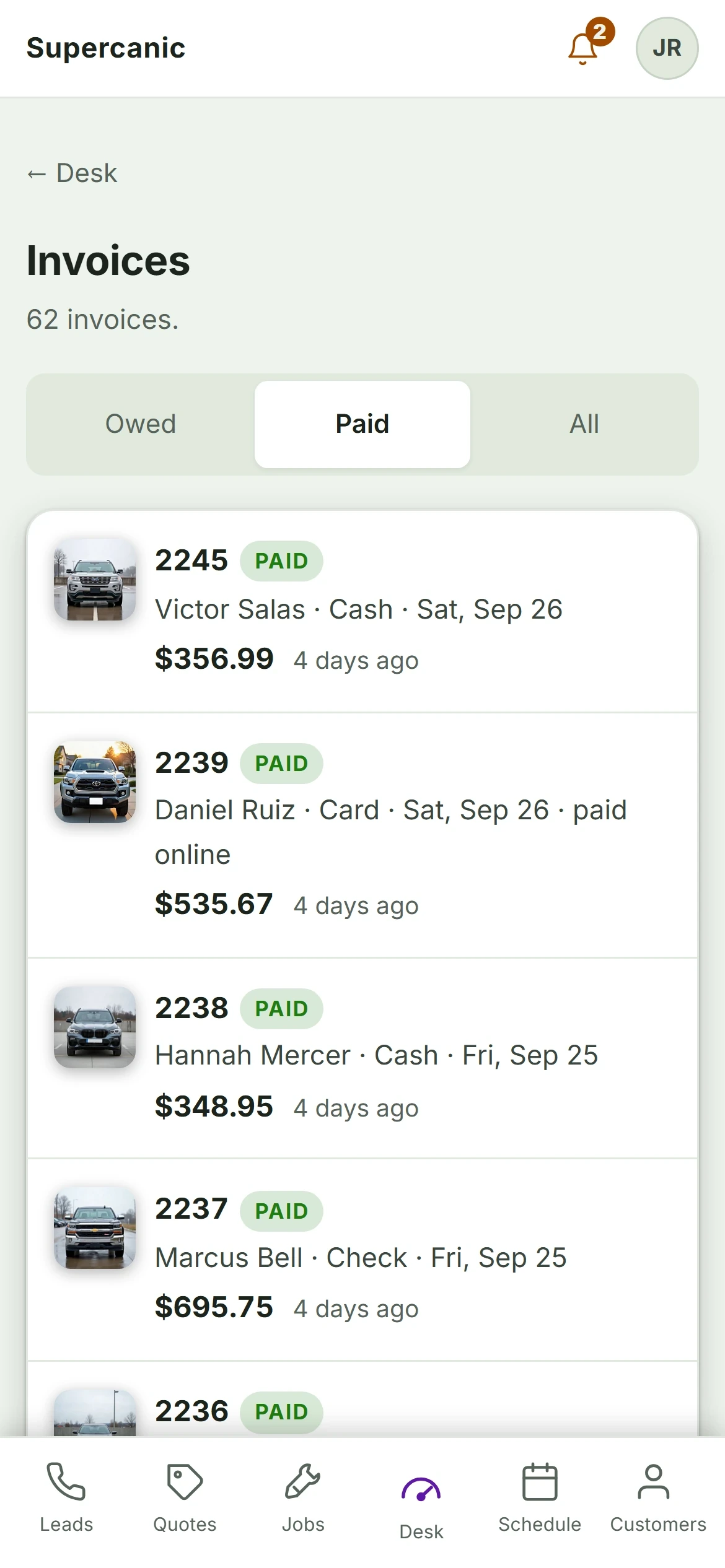
Get paid from a link
The customer pays from their phone. Cash, check and transfer get recorded too.
Show who has not paid
One screen of what is finished and not billed, and what is billed and not paid.
Why General Invoice Apps Fall Short
A general invoice app or accounting tool can send a bill. It does not know the car, the VIN or the inspection. It does not know the customer signed a quote at 9am, and it cannot stop you billing work they never approved.
That is fine for a handful of jobs. It stops being fine at the first comeback, when you need the approval, the photos and the parts from a job three months ago, all in one place.
How Invoicing Works in Shop Desk
The invoice is built from the job that was approved, so the total the customer agreed to is the total they are billed. Payment closes the job on its own. The board counts work that is finished and not billed, so nothing sits there unless you let it.
Payroll runs off the same jobs, flat rate, hourly or commission. Card payments run on your own payment gateway after a short setup call. Invoicing is on Pro at $149 a month. There is no QuickBooks sync yet.
Free
$0
Forever. Not a trial, and no card at sign up.
- The job board, quotes and the technician walk
- Quotes the customer approves and signs on their phone
- Digital inspections and the photo hub
- The customer page, with no app and no password
- VIN decode, recall lookups and the repair AI
Pro
$149
A month. A little under $5 a day.
- Everything in Free
- Your own texting number, set up by us
- Missed call text back and the follow up texts
- Invoicing and payroll on flat rate, hourly or commission
- Card payments on your own gateway, after a short setup call
Prices read from our own sign up page on 3 October 2026. Cancel at the end of any month. Cash, check and transfer can always be recorded against an invoice. Taking cards needs your shop on its own payment gateway, which is a short call with us, so it does not happen on day one.
Questions About Invoice Software
What is the best invoice software for an auto repair shop?
Can I use QuickBooks for auto repair invoices?
Is there free auto repair invoice software?
Can customers pay the invoice by text?
More for Mobile Mechanics
- Mobile Mechanic SoftwareRun the van from your phone
- How to Start a Mobile Mechanic BusinessThe order to do it in
- Mobile Mechanic Business PlanA plan you can fill in tonight
- How Much to Charge as a Mobile MechanicOur real prices, and the math
- Free Mobile Mechanic Invoice TemplateFill it in, print it, done
- Best Apps for Mobile MechanicsWhat earns a spot on your phone
- Auto Repair Shop SoftwareFree to start, built in our own shop
Ask a Mechanic Who Uses It
Not ready to sign up? Tell us how your shop runs and what your software gets wrong today. One of us will call you back, and we will tell you straight if Shop Desk is not the right fit.
- A person reads it, usually the same day
- No sales sequence and no drip emails
- We run our own shop on this software
Rather email? Write to hello@yourshopdesk.com